Lucebox runs headless on Ubuntu Server, so you never plug in a monitor. You set it up once at
lucebox.si/setup over encrypted Bluetooth. After that you use Lucebox Manage,
a web page the workstation serves itself, and your apps stay on your laptop.
Setup4 stepsPair, Wi-Fi, account, TailscaleIn Chrome or Edge, over encrypted Bluetooth
Manage4 buttonsCheck, install, start, testRuns on the workstation, nothing in the cloud
Apps7 appsOne click each through Lucebox ConnectOr any OpenAI or Anthropic compatible client
Privacy0Prompts or replies storedMonitoring counts tokens only, the ledger never leaves the workstation
A laptop or a phone.
Chrome or Edgelucebox.si/setup for the first run, Lucebox Manage after that
Your appsClaude Code, Codex, OpenCode and more, opened through Lucebox Connect
Nothing elseNo CLI or agent to install, and no account with us
BluetoothFirst run only. Encrypted with the per-unit setup code
Wi-Fi or EthernetManage and the API at http://lucebox.local on your network
TailscaleOptional. The same access from any network, no open router port
Lucebox, headless.
Ubuntu ServerEngine and qualified model profiles installed before shipping
Lucebox ManageThe web page that checks, installs, starts and monitors
Private APIOpenAI and Anthropic compatible, private addresses only
lucebox.si never proxies Manage traffic and never receives its token.
First run
Done once, in about ten minutes, from a browser. Nothing here is repeated unless you move the workstation to a new network.
Plug it in and turn it on.
Your desk, or any room with airflow
In the box
The workstation, its power cord, and the setup card with the per-unit setup code
Needs
A wall socket. Wi-Fi is configured in the next steps, Ethernet is optional
Pre-installed
Ubuntu Server, the Lucebox engine, the qualified model profiles. Manage verifies them on first run
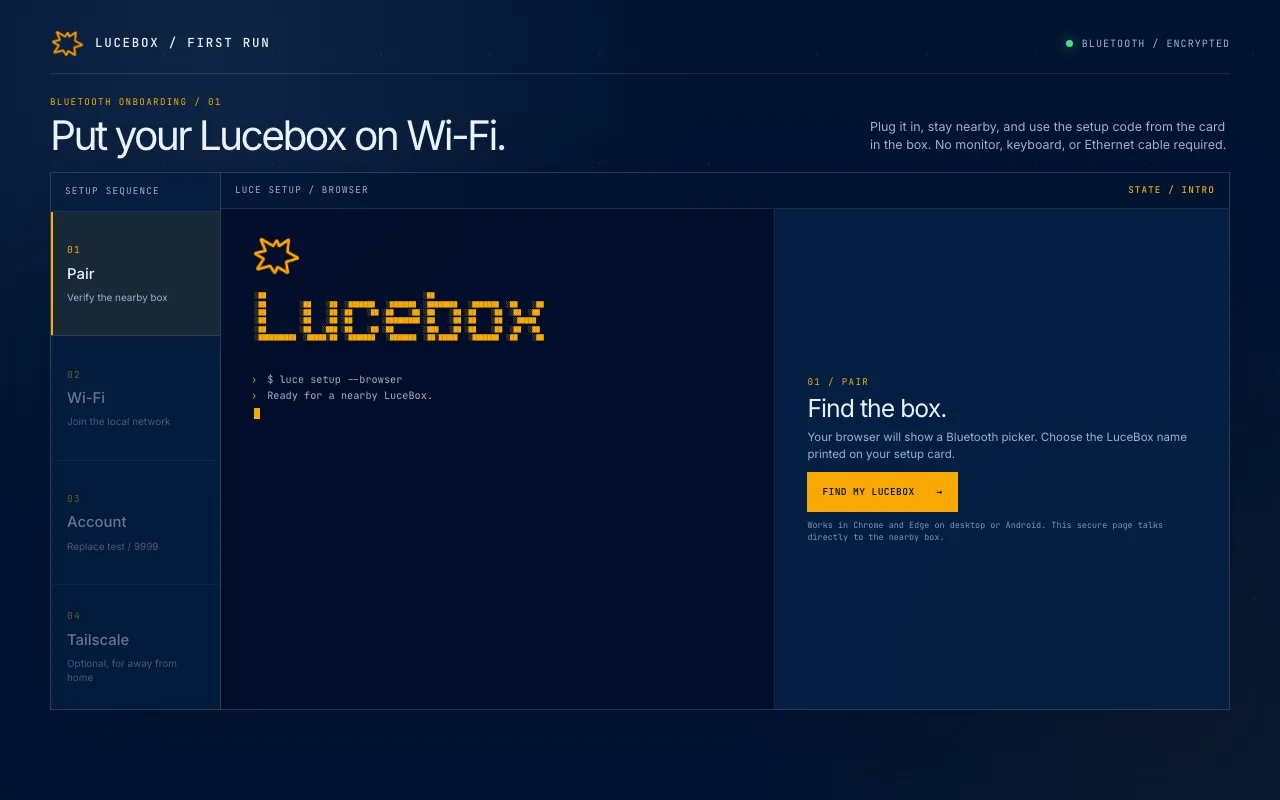
Pair it from lucebox.si/setup.
In Chrome or Edge on a laptop or an Android phone, the setup page shows a Bluetooth picker. Choose the name printed on your card and type its setup code. The code derives the session key, so everything after that is encrypted end to end between your browser and the workstation.
lucebox.si/setup
Browser
Chrome or Edge, desktop or Android. Nothing to install
Security
PBKDF2-SHA256 key from the per-unit code, AES-256-GCM on every command. Five wrong codes lock the workstation for a while
Privacy
The setup code never reaches lucebox.si. The page is the Bluetooth client, the website stores nothing
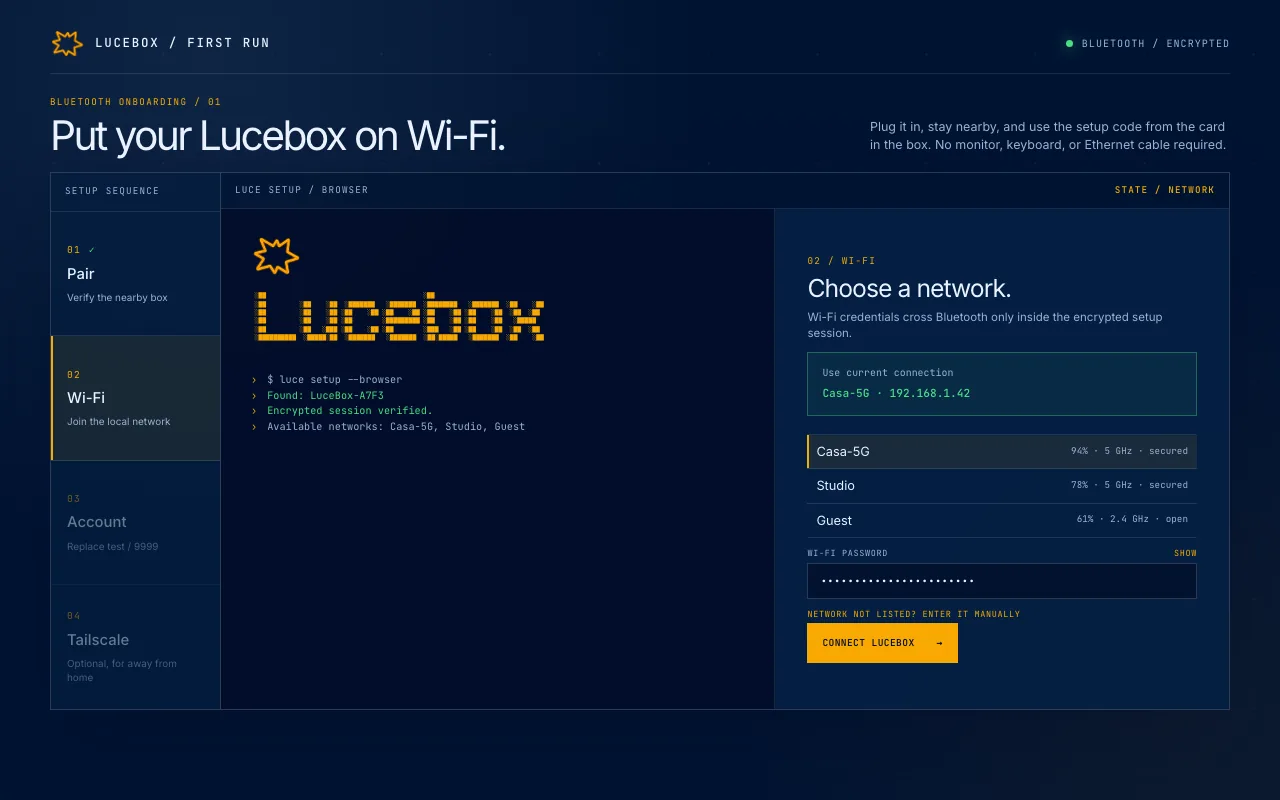
Choose a Wi-Fi network.
The workstation scans nearby networks and lists them in the browser. Pick one, type the password, and it joins. Credentials cross Bluetooth only inside the encrypted session and go straight to the network manager on the workstation, never into a log.
lucebox.si/setup
Address
Answers at http://lucebox.local on your network, and by IP on networks that block multicast DNS
Wired
Already on Ethernet? Setup offers "Use current connection" instead of the Wi-Fi list
Hidden
Network not listed? Enter its name by hand
Name it and set the administrator.
lucebox.si/setup
Box name
Shown in Manage and used as the machine name on your tailnet
Administrator
Replaces the temporary factory login. Passwords go to the OS over stdin, never through the website
Access
Full root access over SSH
Add it to your tailnet, now or later.
lucebox.si/setup
Optional
Skip it and everything still works on the home network, or add it later from Manage
Sign-in
A Tailscale login link opens in a new tab; approve the workstation there
Laptop
Tailscale installed on the laptop or phone, signed in to the same account
Fallback
A one-off auth key still works, passed as a file and deleted right after use
Handoff
Setup ends by opening Manage at http://lucebox.local, or at the tailnet address when Tailscale is on
Use it away from home.
Lucebox can join your private Tailscale network during setup. From then on your laptop or phone reaches it over an encrypted tunnel from any network, and nothing is exposed to the public internet.
Point Claude Code, Codex, OpenCode, Hermes Agent, OpenClaw, Pi or Open WebUI, or any OpenAI or Anthropic compatible client, at the tailnet address and keep working as if the workstation were on your desk.
Your laptop or phoneClaude Code, Codex, OpenCode or the browser, on whatever network you are on
TailscaleA WireGuard tunnel between your own devices. No router changes, no account with us
LuceboxAt home or wherever you keep it, answering on private addresses only
EncryptedEnd to end
Every request travels inside the tunnel between your devices and the workstation. lucebox.si never sees the traffic.
Exposure0 open ports
No port forwarding, no public IP, no dynamic DNS. The gateway only advertises private addresses.
OptionalSkip or add later
On the home network everything works without it. At setup you sign in to Tailscale from a link and approve the workstation, or add it later from Manage.
Daily use
Everything after the first run happens in Lucebox Manage, the page the workstation serves itself: pick a model, start it, connect an app, read the usage.
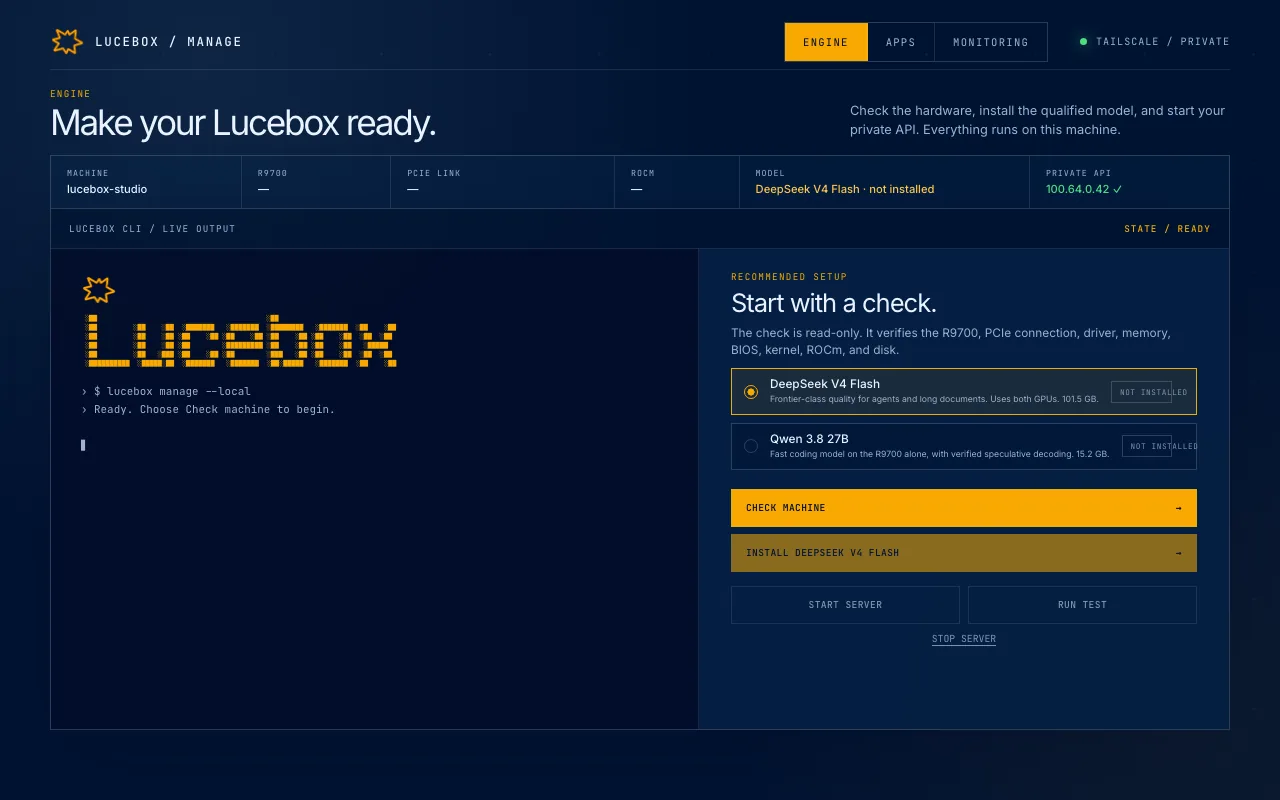
Start with a read-only check.
Setup hands the browser to Lucebox Manage, a small web page served by the workstation itself. The first button verifies the R9700, the PCIe link, driver, memory, BIOS, kernel, ROCm, and disk, and prints the real commands and output in a read-only terminal.
Manage, on the workstation
Runs on
The workstation, port 7744. No cloud agent, no remote shell
Buttons
Check machine, Install model, Start workstation, Run test. The browser can request only these fixed actions
Terminal
Output only. It shows the commands, it never accepts them
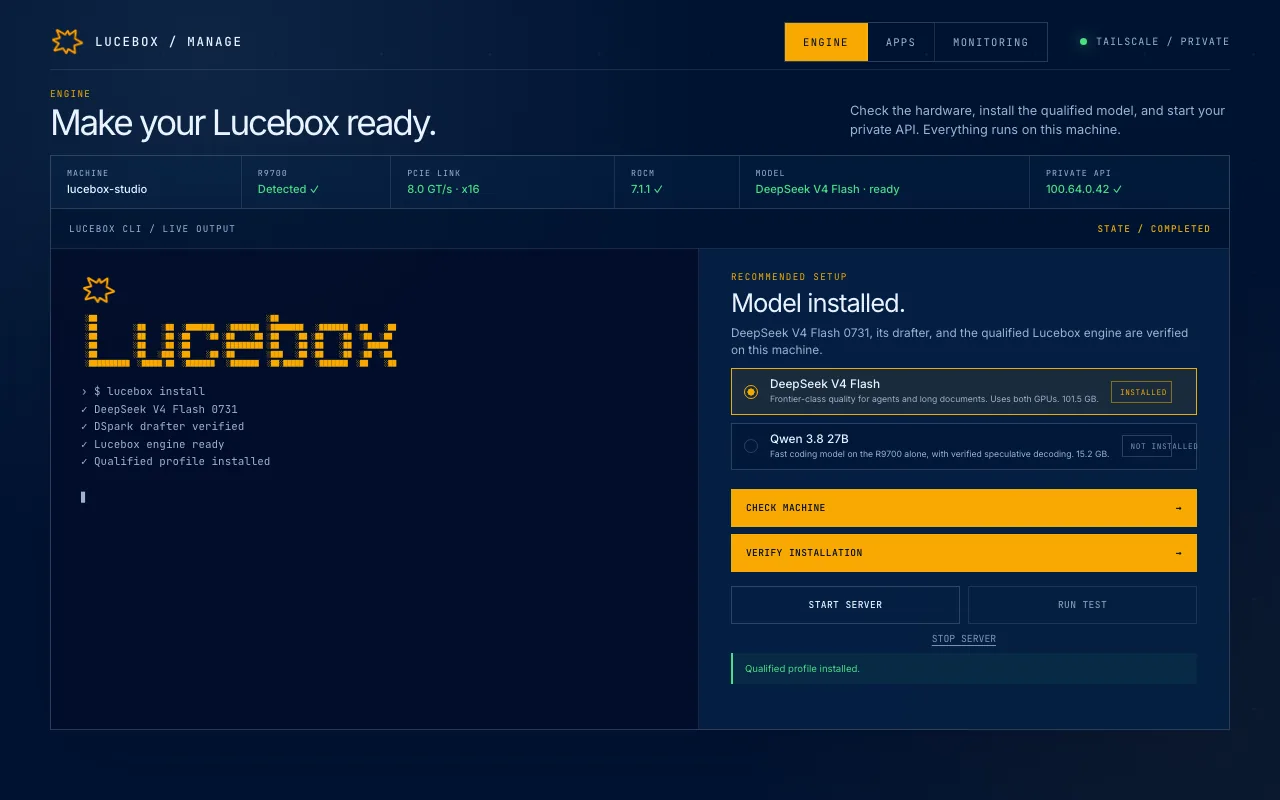
Pick a model and install it.
Two qualified profiles ship with the workstation: DeepSeek V4 Flash across both GPUs, and Qwen 3.8 27B on the R9700 alone with verified speculative decoding. Lucebox Mix runs both behind one gateway. Each profile pins its own engine build and drafter, so the two never share a build. Install checks what is already there and downloads only what is missing.
Manage, on the workstation
DeepSeek V4 Flash
Both GPUs, with its DSpark drafter
Qwen 3.8 27B
The R9700 alone, speculative decoding
Lucebox Mix
Both models at once behind one gateway, routed by model id
Downloads
Resume after an interruption, exact hashes verified. An installed profile is reused, never downloaded twice
Start the model and test the API.
Manage, on the workstation
Endpoints
OpenAI-style and Anthropic-style routes through one gateway, with a copyable address in Manage
Reach
Home network and Tailscale. Never the public internet: the gateway only advertises private addresses
Keys
A shared key on the Private API card, plus one key per connected app
Offline
Runs fully offline once a model is loaded
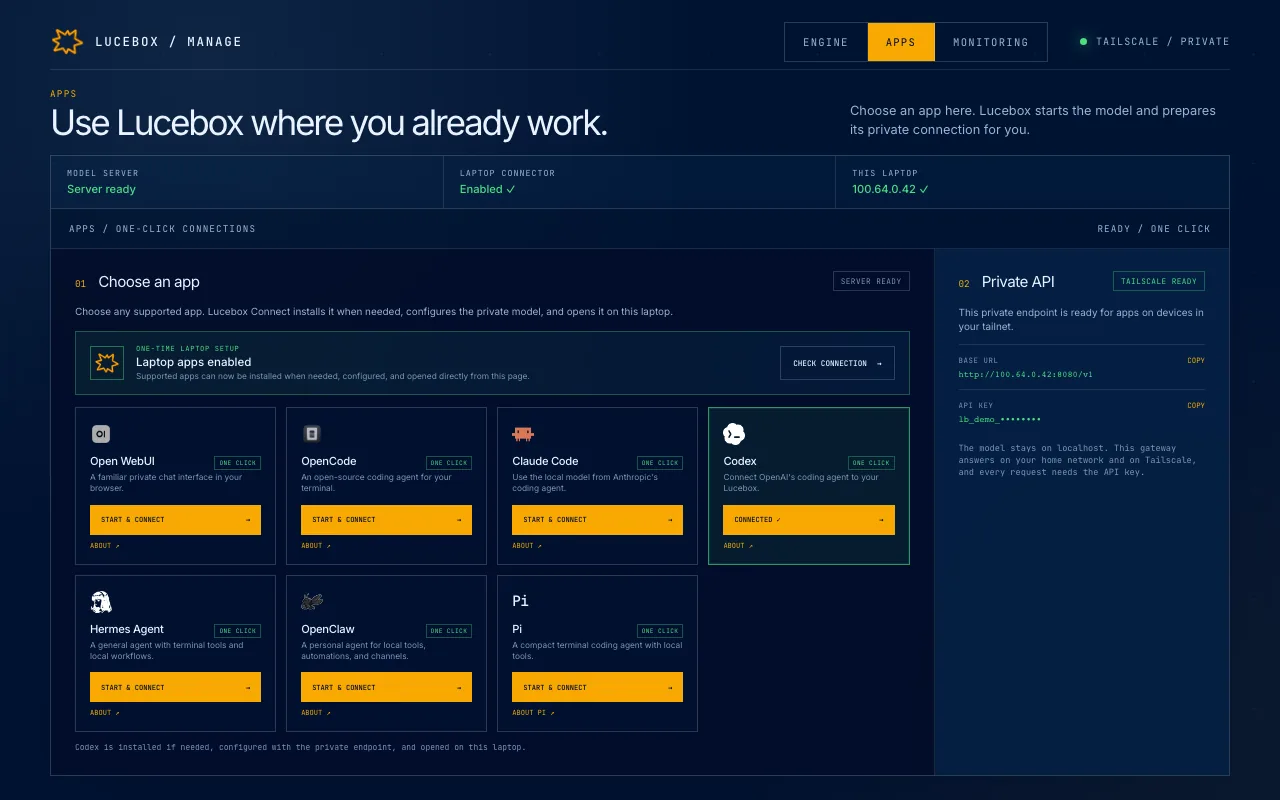
Connect your laptop apps once.
The apps run on your laptop, not on the workstation, and a browser cannot configure another program by itself. Enable laptop apps installs Lucebox Connect, a small bridge with no interface and no background service. From then on, Start & connect on any card starts the model, installs a missing app from its official installer, points it at the private endpoint, and opens it.
Manage, then your laptop
Apps
Claude Code, Codex, OpenCode, Hermes Agent, OpenClaw, Pi, Open WebUI
Anything else
Any OpenAI or Anthropic compatible client, with the address and key from the Private API card
Lucebox Connect
macOS, Windows, Linux. Runs only when you click a card and exits after opening the app
Tickets
A two-minute single-use ticket per click. The API key never appears in the URL
Usage by app and by model.
Manage, on the workstation
Kept
Time, app, model, tokens read and generated, decode time, duration, status
Not kept
Prompts, replies, or anything that leaves the workstation
Live
CPU, memory, GPU memory, temperature and disk, right now
Retention
Rows older than 400 days are pruned automatically
What to try, and who to ask.
Manage is the first place to look: the same checks run again at any time, and they print what they ran.
The machine looks wrong
Run Check machine again. It re-reads the GPU, the PCIe link, driver, memory, BIOS, kernel, ROCm and disk, and prints every command with its output
An app cannot reach it
Run test sends a short generation through the private route, so you know whether the endpoint or the app is at fault